

Mac 怎么隐藏桌面文件
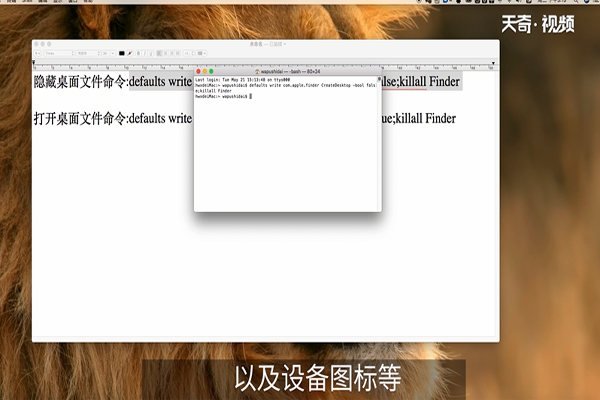
1、在「终端」中输入如下命令,回车确认,即可隐藏所有桌面内容(包括文件、文件夹以及设备图标等):
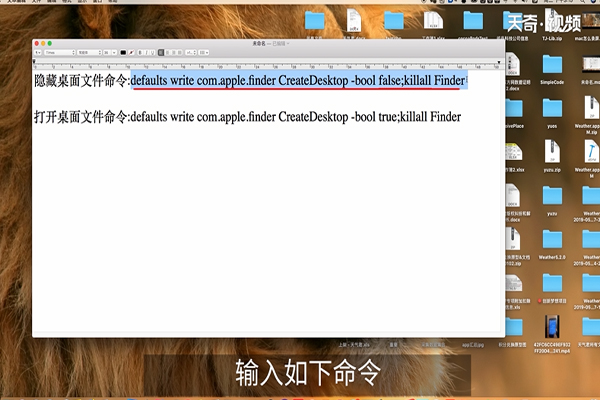
2、defaults write com.apple.finder CreateDesktop -bool FALSE; killall Finder
如果希望恢复桌面内容显示,只需再次执行如下命令即可:
defaults write com.apple.finder CreateDesktop -bool true; killall Finder

 8.8万
17.7万
00:50 8.3万
00:55 18.9万
00:50 10.1万
00:52 18.1万
00:49 8.4万
00:49 8.7万
00:51 11.4万
00:48 13.4万
00:47 9.1万
00:50 10.7万
01:02 17.9万
00:52 14.2万
00:57 18.4万
00:42 18.9万
00:49 12.1万
00:43 14.1万
00:40 7.6万
01:17 7.1万
8.8万
17.7万
00:50 8.3万
00:55 18.9万
00:50 10.1万
00:52 18.1万
00:49 8.4万
00:49 8.7万
00:51 11.4万
00:48 13.4万
00:47 9.1万
00:50 10.7万
01:02 17.9万
00:52 14.2万
00:57 18.4万
00:42 18.9万
00:49 12.1万
00:43 14.1万
00:40 7.6万
01:17 7.1万

